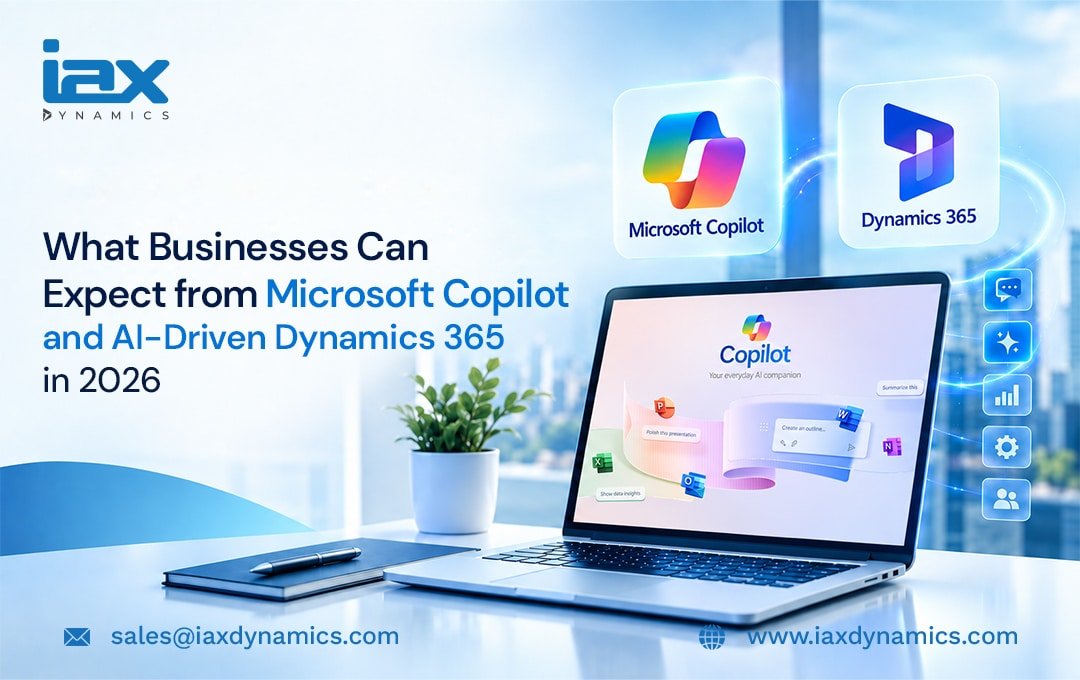
Who wouldn’t want to focus on achieving efficient workflows by leveraging the latest technology trends? Looking closely at these advancements, utilizing enterprise-grade platforms like Dynamics 365 and Microsoft Copilot Studio is a strategic choice.
For organizations using Dynamics 365 as their ERP or CRM platform, the integration of Microsoft Copilot Studio enables enhanced workflows driven by high levels of automation.
In short, Dynamics 365 AI offers businesses the power of autonomous AI agents and native Copilot AI experiences across Microsoft ERP or CRM applications.
While traditional applications might have AI assistants, they only work on predefined rules and cannot execute actions without user triggers.
In contrast, Microsoft Copilot AI features drive a major transformation with fully automated solutions (AI agents) that work on enterprise data and execute processes independently. Driven by Work IQ, these agents connect seamlessly across Dynamics 365 to autonomously execute actions across the supply chain, finance, sales, and customer service.
Before going deeper, it is worth understanding what Microsoft Copilot Studio is, and how its combination with Dynamics 365 transforms sales, finance, customer service, and operations.
What is Microsoft Copilot Studio?
Microsoft Copilot Studio is a low-code platform that allows enterprises to create and deploy AI agents. Instead of creating chatbots that just react to user prompts, businesses can create AI agents that reason on data and execute multi-step actions automatically without any human assistance.
Business users can create custom AI agents for various business processes using natural language. By simply describing what the agents need to do for example, ‘Build a sales agent that checks inventory’ Copilot Studio connects with ERP data and applies reasoning and logic to guide the agent’s actions.
Microsoft Copilot Studio serves as the foundation for a digital workforce that scales automation to entirely new levels. It drives the transition from passive, conversational AI assistance into proactive, autonomous actions through AI agents. These AI agents analyze real-time data, reason across systems, and handle complex processes independently.
Here we delve into how business can impact from Dynamics 365 and Copilot
Important AI Shifts
There has been a major shift in how AI works, particularly with the introduction of Copilot. Copilot Studio democratizes easy automation within Dynamics 365.
The core AI shifts represent:
Autonomous Actions Through AI Agents: AI agents can act on their own by reasoning over Dynamics 365 data. For businesses using Dynamics 365, autonomous actions can be applied by AI agents for sales, inventory, finance, and other processes within the ERP without any human triggers. AI agents think and act independently without human guidance.
Microsoft Work IQ: The introduction of Work IQ is a significant shift. It acts as the brain that helps AI agents understand and reason over business data, context, and tools. Work IQ combines data inside Dynamics 365 and Dataverse to form a unified intelligence layer.
Continuous Updates: Businesses get immediate access to new model upgrades, agent tools, and interface changes through the “AI at Work Roadmap”.
Simplify Processes with Copilot for Dynamics 365
The combination of Copilot Studio and Dynamics 365 delivers tailored automation across core business operations. While Dynamics 365 natively supports standard sales, finance, and supply chain processes, Copilot Studio extends this automation to eliminate highly repetitive manual tasks.
Sales Management
Copilot Studio allows teams to create and deploy AI agents that act as sales assistants for various tasks.
Automated Deal Preparation: Agents can be created for automated deal preparation where they dig through client histories to gather interaction timelines, buying frequencies, and other details before a client meeting.
Proposal Generation: Tailored agents for proposal generation help draft personalized sales quotes by verifying pricing structures within the Dynamics 365 database and analyzing incoming emails and interactions.
Custom AI agents can be easily built to optimize the entire sales workflow within the Dynamics 365 business environment.
Finance Operations
Finance processes are complex by manual reconciliation, repetitive data entry, and strict compliance rules. AI agents built for finance address these challenges with precision by leveraging Dynamics 365 Finance data to automate critical workflows:
Automated Invoice Processing: AI agents automatically cross-check received invoices against purchase orders (POs), identify pricing or quantity discrepancies, and securely route approved payments without requiring human guidance.
Collections Management: AI agents can be deployed to continuously monitor customer accounts, flag suspicious accounts, and autonomously send tailored reminders containing the relevant invoice details. This proactive approach helps businesses accurately predict risks and streamline cash collections.
Financial Reconciliation: To reduce manual accounting overhead, financial reconciliation agents autonomously execute invoice matching and bank statement reconciliation directly within the Dynamics 365 ERP, completely eliminating line-by-line transaction matching.
Supply Chain Operations
Supply chain operations frequently face volatile challenges across inventory management, market delays, and logistics tracking. Copilot Studio allows teams to develop custom AI agents that help maintain optimal inventory levels, mitigate supply chain delays, and proactively detect delivery anomalies:
Predictive Stock Ordering: AI agents can be built to analyze live order volumes and historical seasonal demand. Depending on shifting production requirements, they can autonomously trigger replenishment orders to prevent stockouts.
Real-Time Disruption Mitigation: If a vendor flags a delivery delay, the agent automatically calculates the exact impact on production timelines, identifies the next best alternative vendor with matching specifications, and drafts an email notification for management approval to bypass the risk.
Beyond these core areas, organizations can use Copilot Studio to build and deploy custom AI agents across other Dynamics 365 applications, including Human Resources, Field Service, Customer Service, and Project Operations.
Microsoft Copilot AI features drive a transition to enhanced workflows across Dynamics 365 applications, enabling users to generate text, draft documents, or build presentations using simple natural language. Furthermore, teams can easily create contextual content, high-quality graphics, and rich media on demand.
Prepare for the Future with Dynamics 365 AI and Microsoft Copilot Studio
The Dynamics 365 AI and Copilot Studio duo is a true game changer in today’s modernized environment.
As a Dynamics 365 user, your path to transformation in 2026 and beyond becomes seamless with IAX DYNAMICS, the leading Microsoft Dynamics 365 solution provider.
IAX DYNAMICS consultants help you prepare for the future by transitioning to autonomous agents that serve as a digital workforce to drive operations. This intelligence layer above Dynamics 365 gives your business a definitive competitive advantage across all areas improving customer service, sales, finance, and operations.
With a shift in AI behaviour, businesses can expect improved sales, greater financial visibility, streamlined supply chain operations, and exceptional overall business performance through Microsoft Copilot Studio and AI-driven Dynamics 365.
To learn more about how Copilot for Dynamics 365 drives transformation across your business processes, connect with IAX SERVICES. As a leading Microsoft Solution Partner specializing in Dynamics 365 AI and Copilot, we help organizations reach new heights of efficiency.
FAQ Section
What is the difference between traditional AI assistants and AI agents?
Traditional AI assistants work on predefined rules and human clicks to complete basic tasks. In contrast, AI agents’ reason across ERP data and execute actions on their own without any human guidance. This helps save time, reduce errors, and improve productivity.
What is Microsoft Copilot Studio and how does it simplify automation?
Copilot Studio is a platform that allows users to build custom AI agents using simple natural language. Instead of writing code, a user can simply describe what the agent needs to do such as “Build a sales agent that checks inventory” and the platform handles the logic automatically.